Where campaigns live
The Emails entry in the sidebar opens the campaign list. It has four tabs:
All Emails: every campaign, whether written in KeyMetriq or synced from a connected email platform.
Automations: triggered sequences rather than one-time sends.
KM Rules: rules maintained in KeyMetriq.
Calendar: the same campaigns on a calendar.
The Emails list
Creating one
Select New Email and choose what you are making:
Broadcast: a one-time send on a scheduled date.
Automation: triggered by conditions.
Give it a name and you land in the editor.
Statuses
KeyMetriq tracks its own status for every campaign, independent of what your email platform says: Draft, Review, Ready, Set up, Scheduled, Sent and Archived. Campaigns synced from an external platform also show that platform's status, such as Draft, Scheduled, Sending, Completed, Paused, Stopped or Disabled.
Both columns matter. A campaign marked Not recorded was sent on the external platform but never recorded as sent in KeyMetriq; open it and move it to Set up so your reporting matches reality.
Filtering
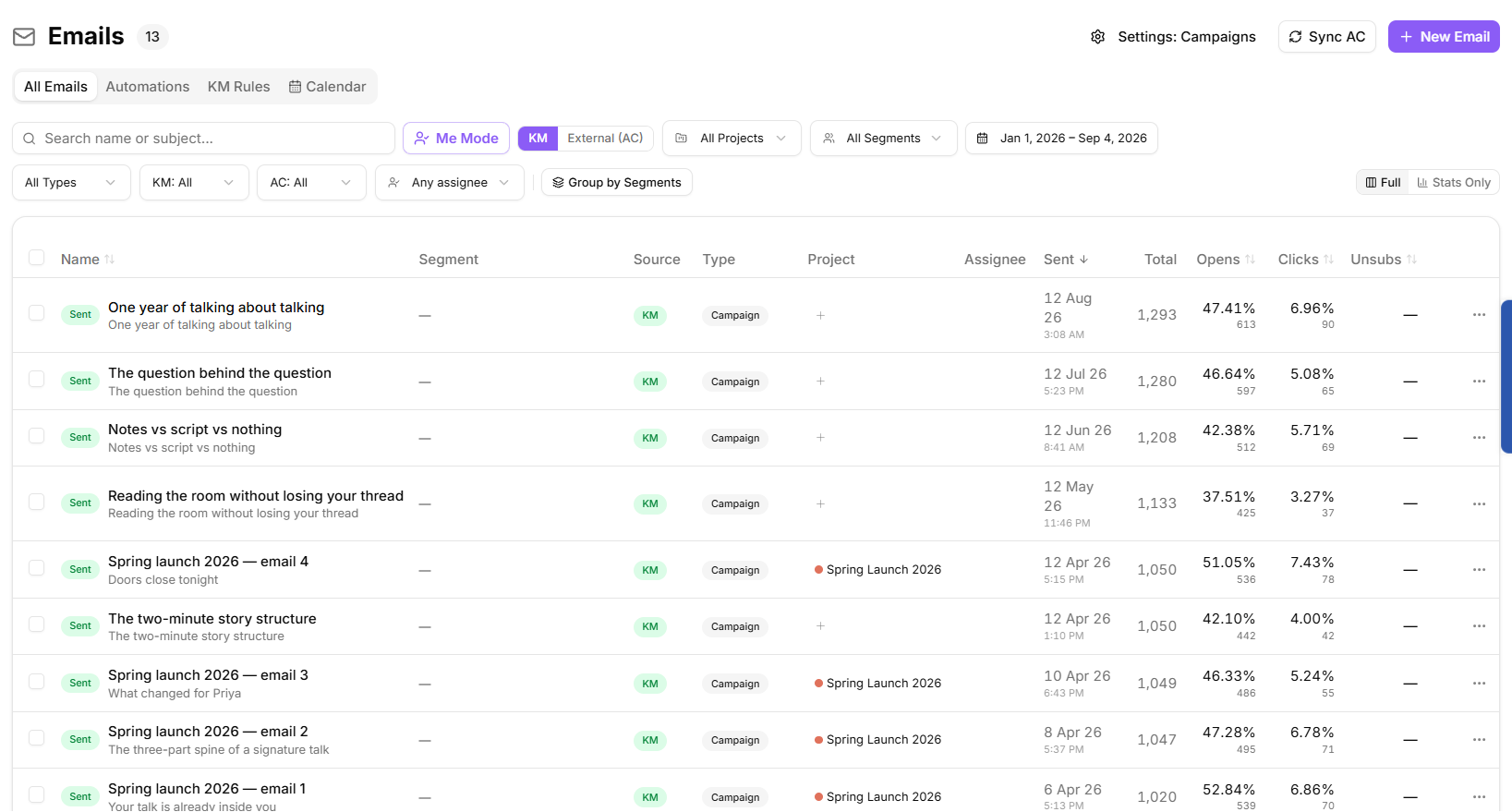
The filter bar covers source (written in KeyMetriq or synced from an external platform), project, segment, type, both status fields and assignee. Me Mode narrows the list to campaigns assigned to you, and Reset clears everything. Group by Segments reorganizes the list by audience.
Switch between the Full view and Stats Only depending on whether you are working or reviewing performance.
Reading the table
Columns include Name, Segment, Source, Type, Project, Assignee, Sent, Total, Opens, Clicks and Unsubs, so you can compare performance without opening anything.
Working in bulk
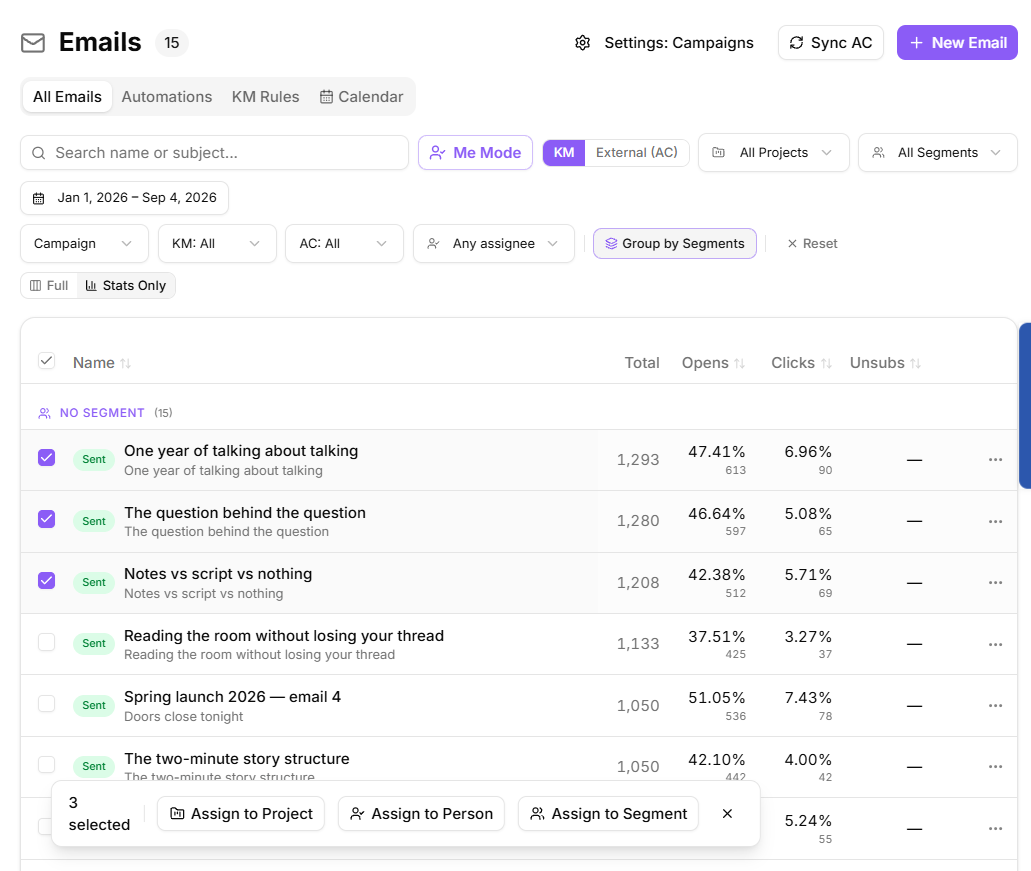
Select several campaigns with the row checkboxes and the bulk bar appears:
Assign to Project
Assign to Person
Assign to Segment
Each also offers an unassign option, which is the quick way to clean up after a campaign is renamed or a project ends.
Assigning campaigns in bulk
Row actions
Each row offers Edit in KeyMetriq, Duplicate, Archive and Delete. Deleting is permanent and cannot be undone; archiving just moves the campaign out of the way.