Always bring an email column
Email address is what KeyMetriq matches on. A row with no email address has nothing to attach to, so it can only become a new contact. Before you import a file, check that every row that should match an existing customer has their email address on it.
If your source has several address columns, use the one the person actually buys or subscribes with, not a generic info@ address shared by a whole company. A shared address makes several people look like one contact, which is harder to untangle than two records for one person.
Use import mode to control who can create contacts
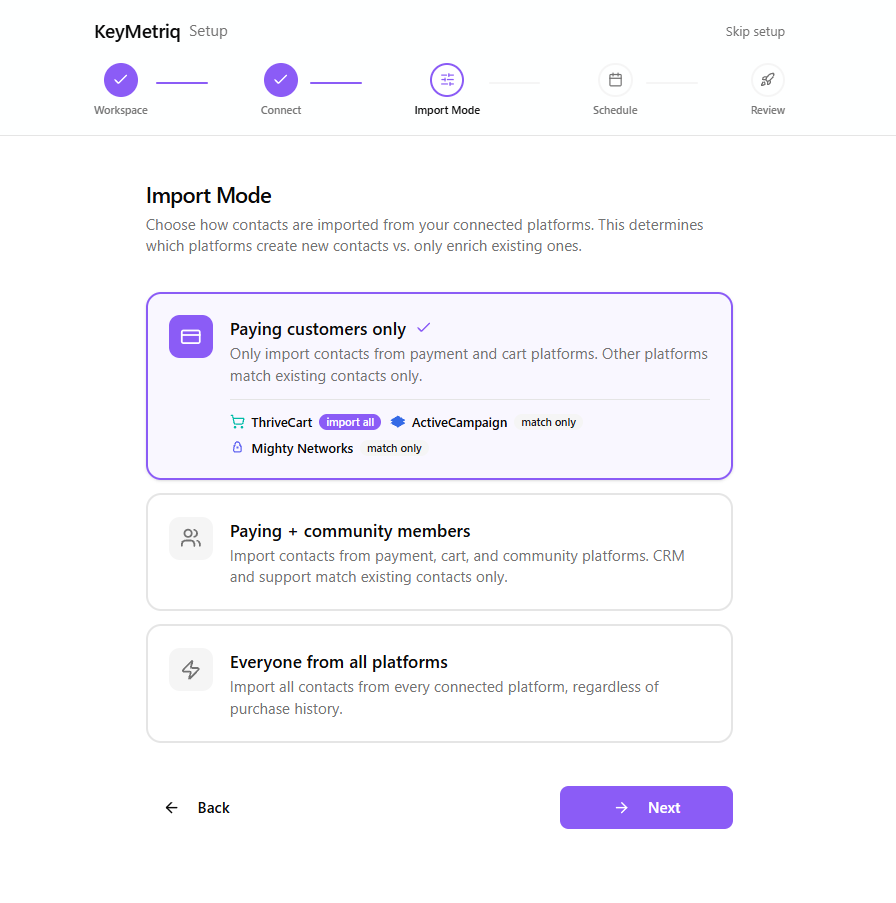
Import mode decides which connected platforms are allowed to create contacts and which only enrich the ones you already have. It is set during setup and can be changed later in Settings. The three options are:
Paying customers only: only payment and cart platforms create contacts.
Paying + community members: payment, cart and community platforms create contacts; CRM and support platforms match only.
Everyone from all platforms: every platform creates contacts.
Each platform shows an import all or match only badge, so you can see at a glance which ones can add people.
Narrower settings produce fewer duplicates. A support tool that only ever matches cannot invent a contact from a one-off ticket sent from a throwaway address.
Import mode decides which platforms create contacts
Keep addresses consistent across platforms
The same person signing up as amy@northwind.com in one tool and amy.parker@gmail.com in another produces two records that nothing links. You cannot control what your customers type, but you can:
Use one address per person in files you control.
Let checkout pass the buyer's email through to your other tools rather than asking them to type it again.
Scan after every large import
Some duplicates are unavoidable. After a big import, open Duplicates and select Scan for Duplicates, then work through the queue while the import is fresh in your mind. The cluster comparison is much easier to judge when you still remember which file the records came from.