The queue
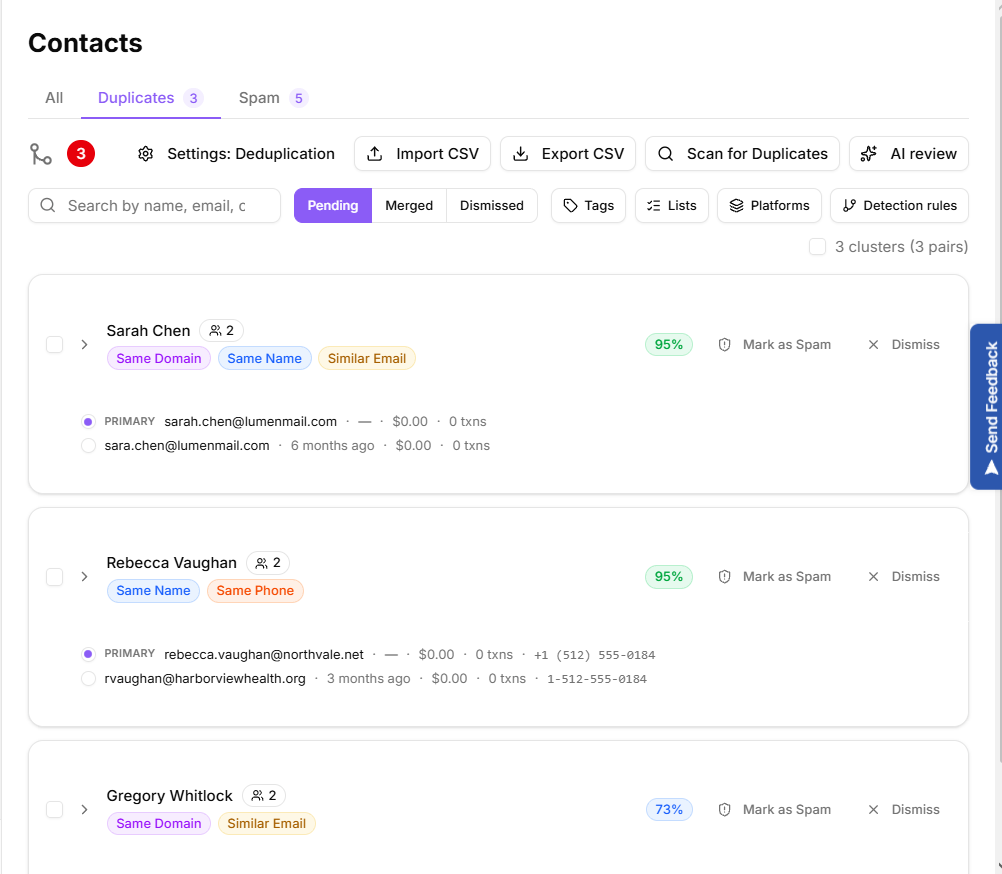
Duplicates holds contacts that look like the same person. They are grouped into clusters, and the header counts the clusters and the pairs inside them. Three tabs split the queue by status:
Pending: waiting for your decision.
Merged: clusters you have already combined.
Dismissed: candidates you decided were different people.
The duplicates queue
Finding candidates
Select Scan for Duplicates to look for new candidates. The scan reports how many are new, how many were updated and how many it merged automatically. If it finds nothing, it says so.
Imports also produce candidates, so the queue fills up on its own as data arrives. You can also start a scan from the contacts list with Find Duplicates.
Why a pair was flagged
Every cluster shows the reason it was matched, which tells you how much to trust it:
Same Email and Same Name
Similar Email and Email Extension
Gmail Alias, for addresses that differ only by dots or a plus tag
Same Domain, for similar names on the same email domain
Same Phone
Narrowing the queue
Search by name, email or company, or filter by Tags, Lists, Platforms and Detection rules. Clear filters resets everything.
AI review
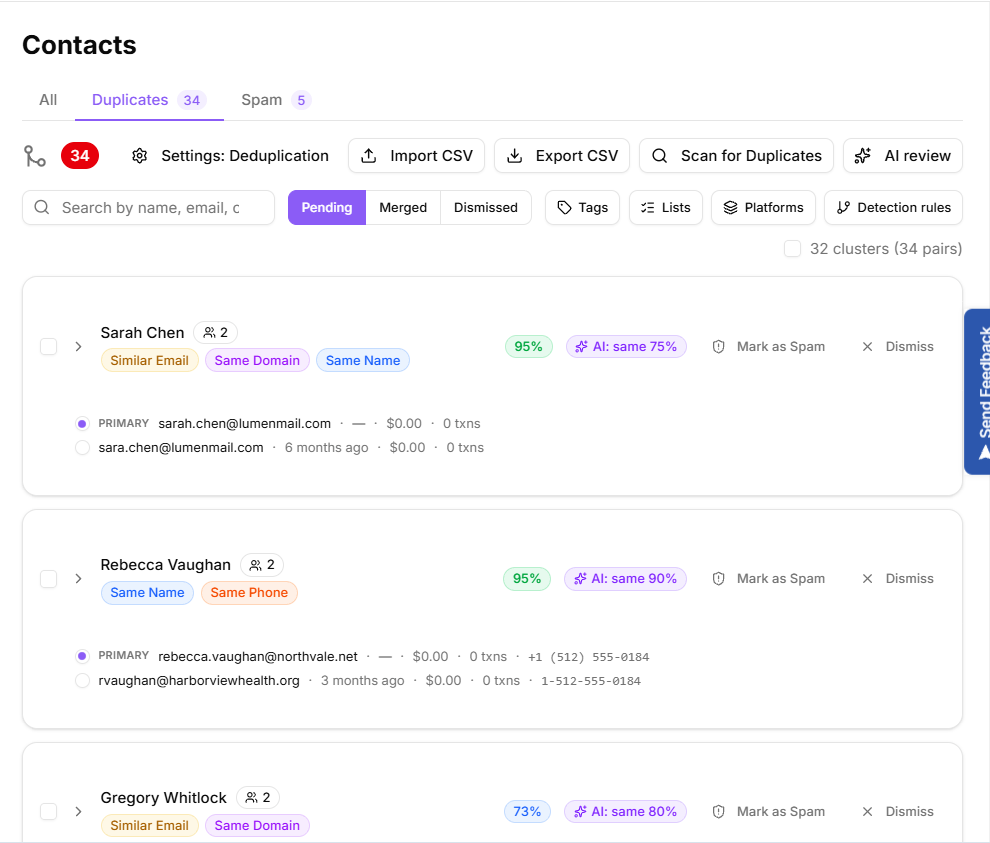
Select AI review to have KeyMetriq assess the pending pairs for you. Each reviewed pair gets a verdict badge of AI: same, AI: different or AI: unsure, and the app reports how many it got through. Large queues are processed in batches, so select it again to continue.
The verdict is advice, not an action. Nothing is merged until you say so.
AI verdicts on duplicate pairs
Working in bulk
Tick the checkbox on several clusters and the bulk bar appears with Approve all, Mark all as Spam, Dismiss all and Clear. Bulk merging uses the recommended primary for each cluster unless you changed it, and the app warns you that the bulk action itself cannot be undone even though individual merges can be reversed.
Backing up the queue
Export CSV saves your pending candidates, and Import CSV restores them from a previous export. Pairs are matched by email on import, and any pair whose contacts cannot be found is skipped.