What it does
Dropbox gives KeyMetriq read-only access to recordings you already store there, so you can link them, play them inside KeyMetriq, and have coaching calls ingested automatically.
Read-only is the whole point. KeyMetriq never writes to, moves or deletes anything in your Dropbox.
Connect it
Go to Settings and open the Integrations tab.
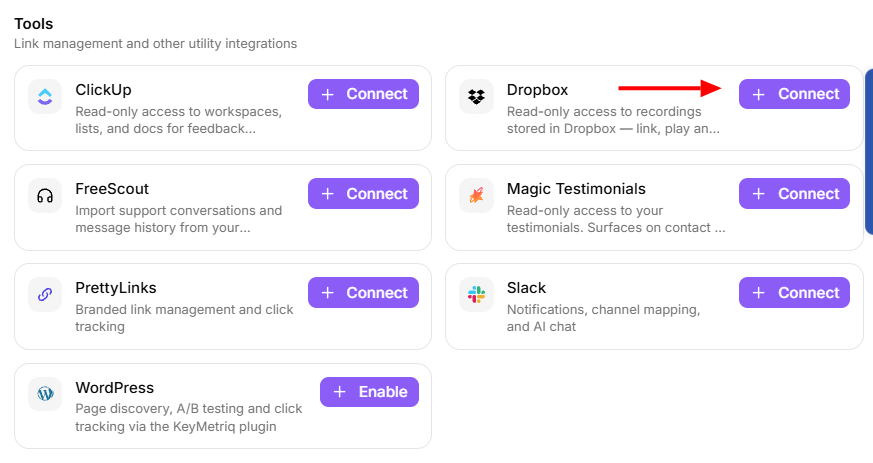
Find Dropbox under Tools and select Connect.
You are sent to Dropbox to authorize KeyMetriq.
Approve, and Dropbox returns you to KeyMetriq, which confirms the connection.
Connecting Dropbox
There are no API keys to paste and no fields to fill in. If the authorization fails, KeyMetriq shows the reason rather than silently returning you to an unconnected card.
If the connection is lost
Dropbox authorizations can be revoked from the Dropbox side, and KeyMetriq notices. The card shows Connection lost - reconnect required with the time of the last failure, and a Reconnect button that runs the same authorization again.
Recordings already linked in KeyMetriq stay linked. They just cannot be fetched again until you reconnect.
Disconnecting
Use the menu on the Dropbox card and select Disconnect. That removes the authorization. Because the integration only ever read your files, nothing in Dropbox changes.