Where they are
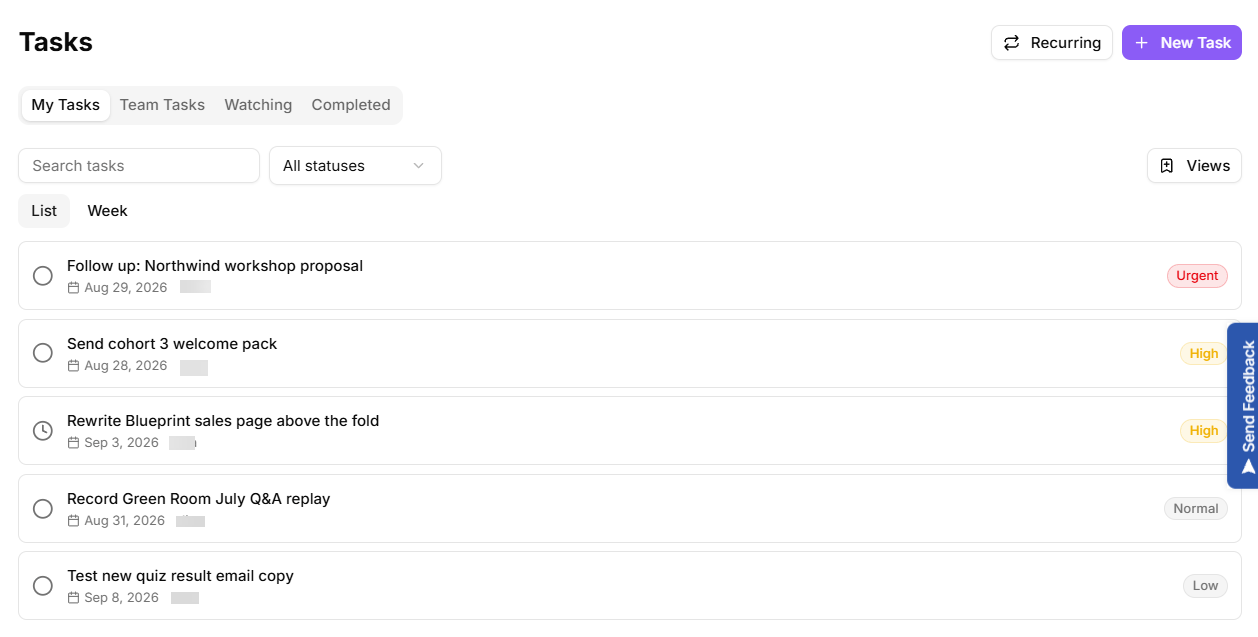
Tasks in the sidebar. Three tabs:
My Tasks: assigned to you.
Team Tasks: everything across the team.
Completed.
If a tab is empty, the page tells you which kind of empty it is rather than showing a blank panel.
Creating a task
Select New Task.
Give it a Title.
Add a Description if the title is not self-explanatory.
Pick an Assignee, or leave it unassigned.
Set a Priority: Low, Normal, High or Urgent.
Set a Due Date.
Statuses
A task is Open, In progress, Completed or Canceled. Toggle status directly from the list, or open a task to edit everything about it.
Tasks that come from somewhere
The useful part of tasks in KeyMetriq is that they are usually created from something else, and keep a link back to it:
From a notification, with Add as Task. The notification is then labelled "tasked" instead of sitting unread. When the notification is about a campaign or a comment (a mention, for example), the task keeps that link, so its detail offers Open campaign or Open comment.
From a form submission, with the Create task form action. The task title is the action's title template: submission values appear in it only where the template uses
{field.name}placeholders, such as "Reply to {field.company}". The task links to the contact the submission resolved to, not to the submission itself, so its detail offers Open contact.From a campaign or a comment, where the task detail offers Open campaign or Open comment.
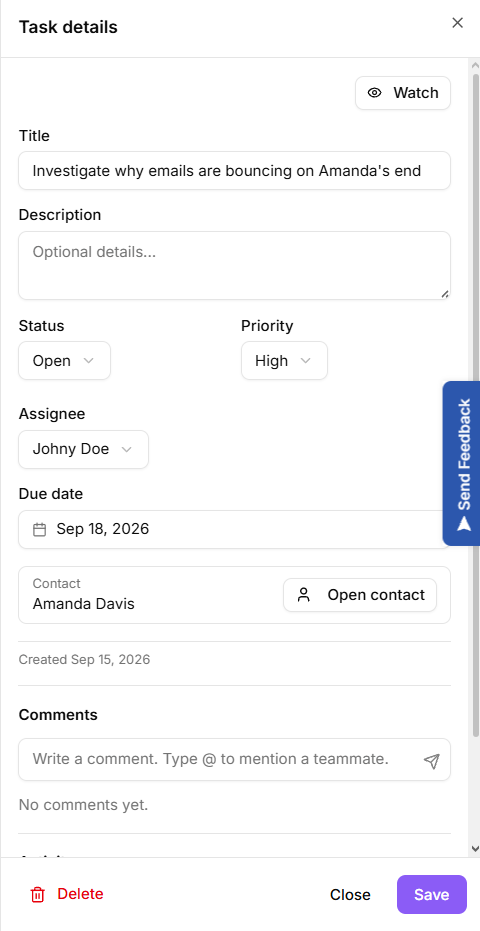
From a contact, on the contact's Tasks tab. The task detail shows the contact and offers Open contact, and the task list has a contact icon that goes straight there.
From a project, which groups its tasks under a project section in the list.
Follow the link rather than searching for context. That is the whole reason it is there.
A task with a link back to its source
Deleting
Deleting asks for confirmation and cannot be undone. If the work turned out to be unnecessary, set the status to Canceled instead: the record stays, and next quarter you can still see what was dropped and why.
Making tasks work
Two habits are worth more than any feature here:
Assign everything. An unassigned task is a wish. The list shows Unassigned plainly so these are easy to find and fix.
Use due dates honestly. A due date you do not mean trains everyone to ignore all of them.