Finding it
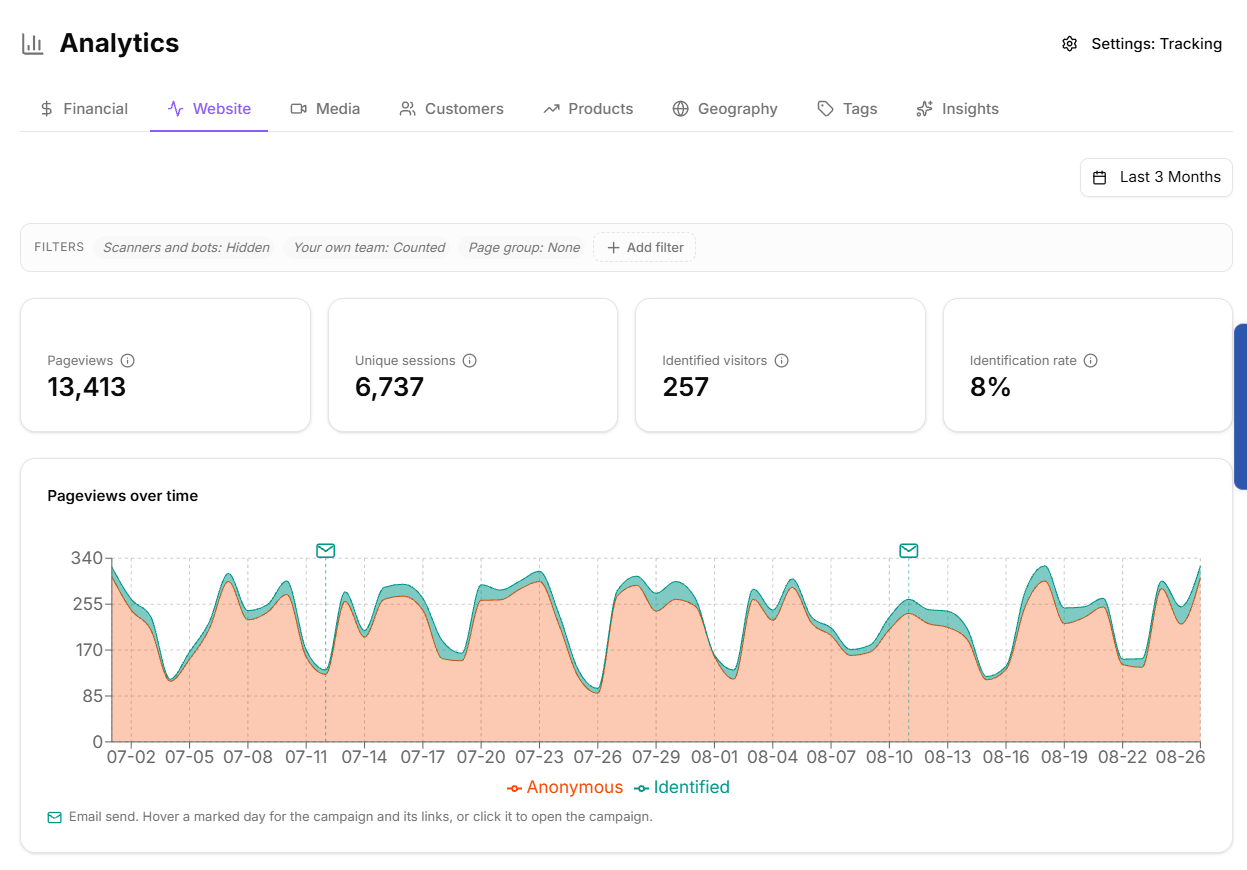
Go to Analytics and open the Website tab. It reports on the pages carrying your tracking snippet.
If nothing appears, check the snippet is installed before assuming there is no traffic. See "Installing the tracking snippet".
The Website analytics tab
Date range
Pick a preset range or set a custom start and end date. The range is written into the page URL, so a filtered view can be bookmarked or sent to a colleague and they will see exactly what you saw.
The panels
Pageviews over time
Visitor paths
Traffic sources
New vs returning
Top pages
Top referrers
Top countries
Top browsers
Top devices
Operating systems
URL parameters
Top outbound links
Each is a ranked table you can drill into.
Views versus sessions
Two numbers appear throughout, and confusing them will mislead you:
Views are page loads.
Sessions are distinct browser sessions.
One person reading five pages is five views and one session. Use views to see which content gets read, and sessions to see how many visits you are getting.
Identified counts activity KeyMetriq could attribute to a known contact.
Scanners and bots
Corporate email security systems such as Microsoft SafeLinks, Mimecast and Proofpoint pre-fetch links in email, which pollutes analytics with phantom pageviews that no human ever made.
KeyMetriq filters these out by default. The scanner control offers:
Hide scanners and bots: the default, and clean analytics for real visitors only.
Show alongside: include them in the counts.
Only scanners and bots: show only the phantom traffic, which is useful when you are debugging a number that looks too high.
If your traffic figures look inexplicably good after an email send, switch to Only for a moment and you will usually find the answer.
Filtering
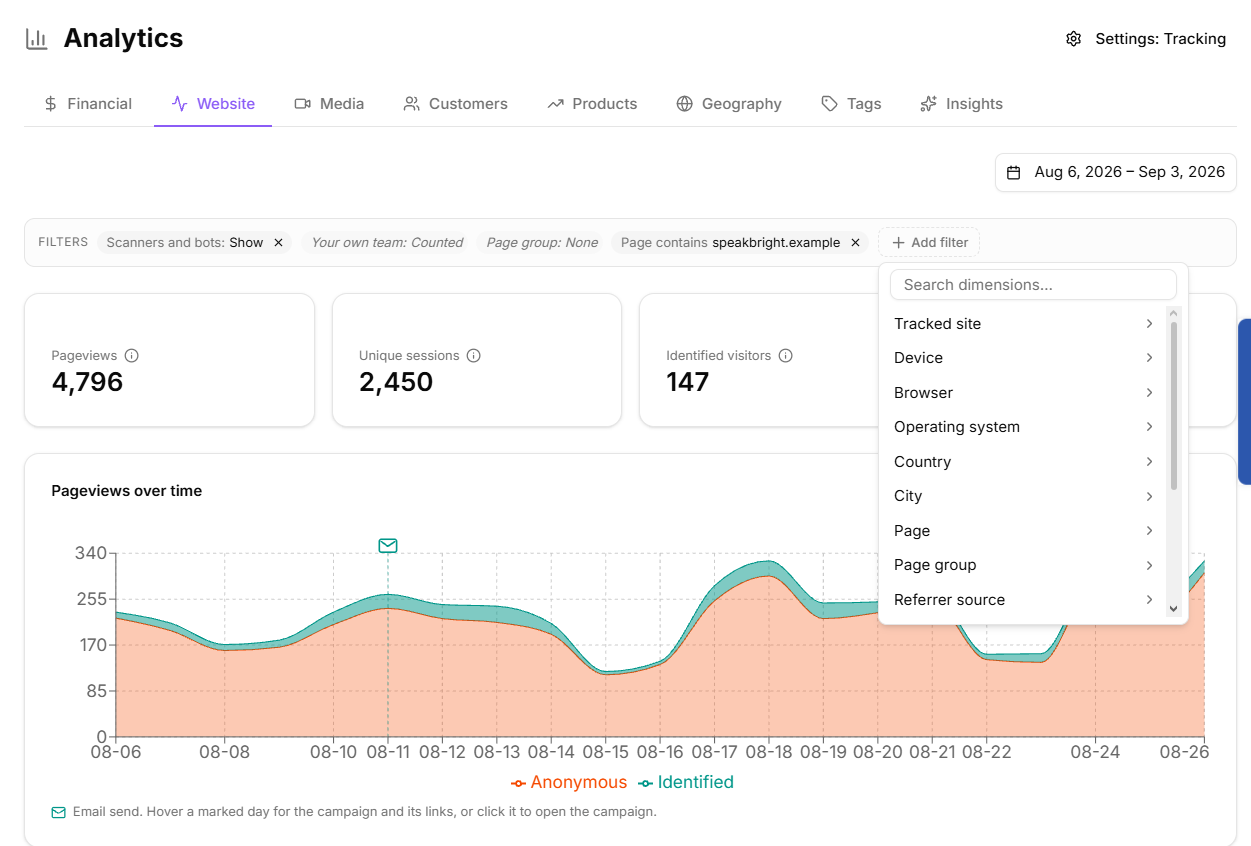
Select Add filter and choose a dimension: tracked site, device, browser, operating system, country, city, page, page group, referrer source, channel, UTM source, UTM campaign, identified visitor, scanners and bots or your own team.
Filters appear as chips you can remove individually, and Clear removes them all. Pages can be filtered by exact URL or by Contains, which matches any of several substrings.
Filtering website analytics
When nothing matches
The panel says "No pageviews match the current filters" and offers Clear filters. That message means your filters are too narrow, not that there is no traffic.