Where results appear
Two places:
- On the campaign itself, once the send finishes.
- On the Emails list, where the Sent, Total, Opens, Clicks and Unsubs columns let you compare campaigns side by side without opening any of them.
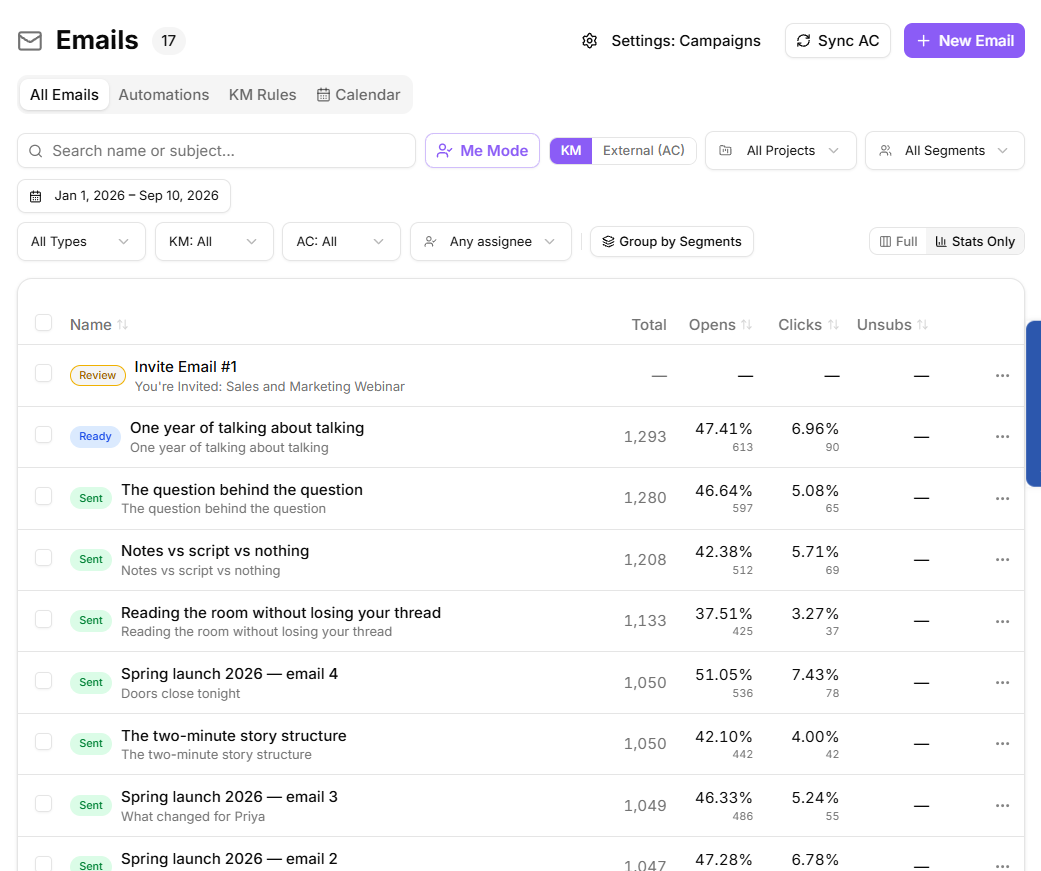
The six numbers
- Delivered: emails that reached a mailbox.
- Unique opens: how many people opened it, counted once each.
- Unique clicks: how many people clicked a link, counted once each.
- Bounced: emails that could not be delivered.
- Complaints: recipients who marked it as spam.
- Unsubscribed: recipients who opted out.
Opens and clicks are unique rather than raw. One person opening five times counts once, which is what you want when comparing campaigns.
Which numbers matter
Complaints first, every time. A complaint means someone thought your email was spam, and mailbox providers weigh that heavily. A rising complaint rate damages delivery of everything you send afterwards, including email that has nothing to do with marketing.
Bounced next. A few bounces on any list are normal. A lot of them suggests the list is old or was bought, and continuing to mail it will hurt you.
Unique clicks third. Clicks are the honest engagement number.
Unique opens last. Open tracking is unreliable: mail privacy features on some clients pre-open messages automatically, which inflates the number, and recipients who block images can read an email without ever registering an open. Watch the trend across your own campaigns rather than treating the absolute figure as truth.
Why a complaint may never appear
Marking one of your own emails as spam and then finding the Complaints number still at zero is normal, not a fault. Most spam reports never reach the sender at all.
Only some mailbox providers pass individual reports back. Yahoo, Microsoft and AOL run what is called a feedback loop and report each one. Gmail and Google Workspace never do: they publish aggregate rates to their own Postmaster Tools and nothing else, so a spam mark in a Gmail inbox cannot reach this stat by any route. Plenty of smaller hosts and business mail providers run no feedback loop either.
So if you want to see the Complaints number move, test from an Outlook, Hotmail or Yahoo address. A test from Gmail, or from a mailbox hosted by a small provider, will sit at zero however many times you mark the message as spam.
A complaint that does reach us does more than move a number. The address goes straight onto your suppression list with the reason Spam complaint, so you never mail it again, and the recipient is marked as complained on that campaign. That happens on its own, which is why the number staying at zero is worth understanding rather than worrying about.
Unsubscribes are not a failure
An unsubscribe is someone taking themselves off a list they were not going to read. That is better for you than a complaint, and much better than a disengaged address dragging your metrics down. Worry about unsubscribes only when a single campaign spikes far above your normal rate, which usually means the content did not match what people signed up for.
Following up
The campaign editor offers Resend to non-openers with its own date, time and subject line. Change the subject when you use it. Sending the identical email again to people who did not open the first one rarely works.