One customer, one profile
KeyMetriq pulls the people who buy from you, sign up for your list, join your community and open your support tickets into a single database. The platforms you use each hold a slice of that picture. KeyMetriq stitches the slices back together so Amy Parker who paid you $49 in Stripe, subscribed to your newsletter and posted in your community is one contact, not four.
Email address is the key. When a new record arrives from any connected platform, KeyMetriq looks for an existing contact with that email address before it creates anything. A contact can hold several email addresses and an identity on each platform you connect, so a customer who checks out with a personal address and subscribes with a work address still resolves to one profile.
What you get from that
Because there is one profile per person, the numbers add up across platforms. Revenue, list membership, community activity and support history sit on the same record, and your analytics count each customer once.
The main areas
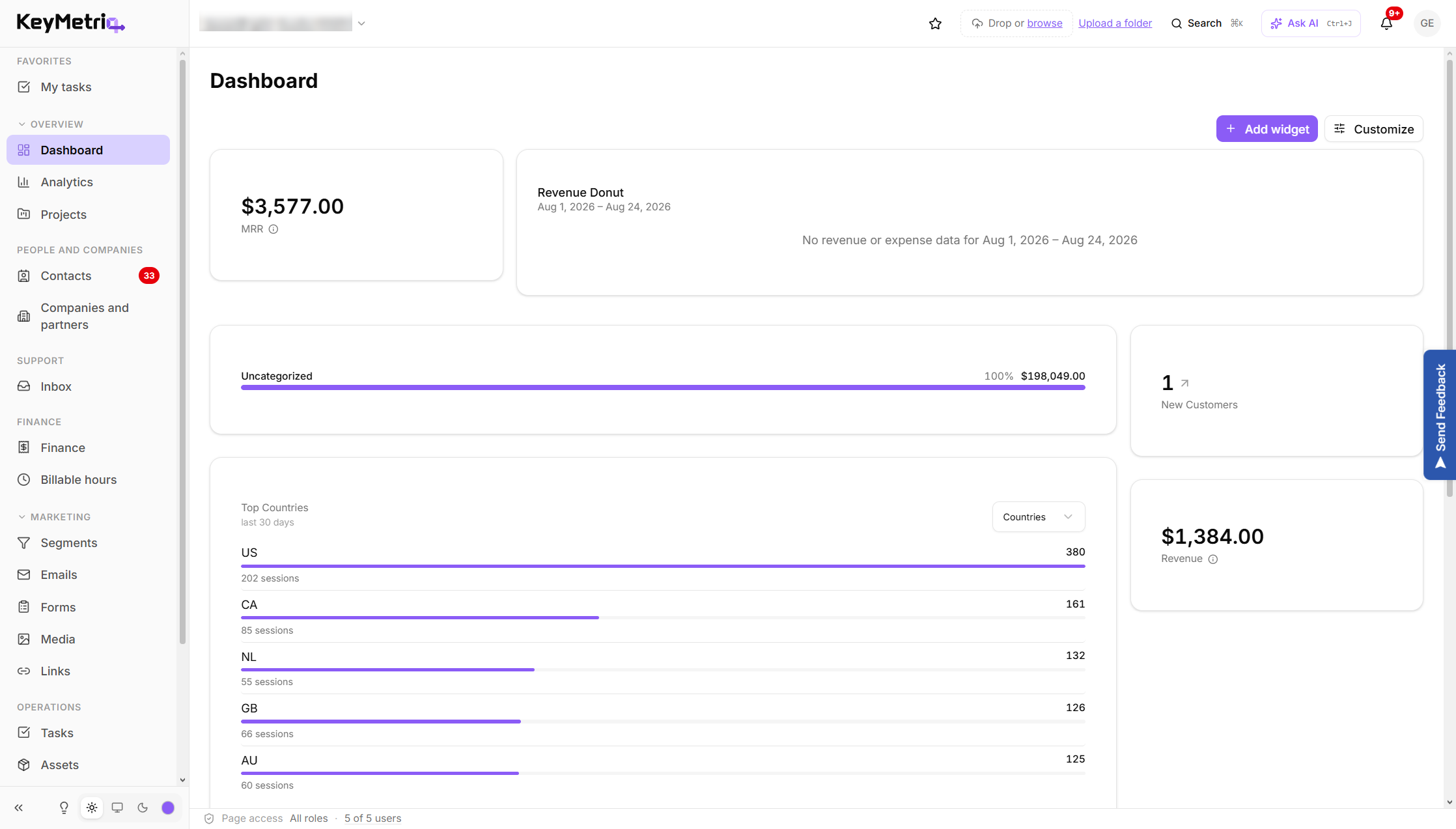
The sidebar groups the app into sections.
Overview: Dashboard, Analytics, and Projects.
People and Companies: Contacts, Duplicates, Spam, and Companies and partners.
Support: Inbox
Finance: Finance, Contracts & billing, and Billable hours
Marketing: Segments, Emails, Forms, Media and Links.
Operations: Tasks and Assets.
Settings: workspace configuration, integrations, team and security.
Some entries only appear when the matching feature is switched on for your workspace or when your role has access to it, so your sidebar may be shorter than the list above.
The KeyMetriq dashboard and sidebar
Where to start
Create your account and sign in.
Run the setup wizard to name your workspace and connect your first platform.
Let the first import finish, then look at your contacts.
The next few articles walk through each of those steps.